
Order intake & manifest ingestion
Orders arrive by spreadsheet import, API or manual entry and land in a date-grouped queue with fleet KPIs — no separate manifest tool, no re-keying.
The first unified logistics workspace combining AI-driven route optimisation, live execution and eCMR compliance on a single platform.
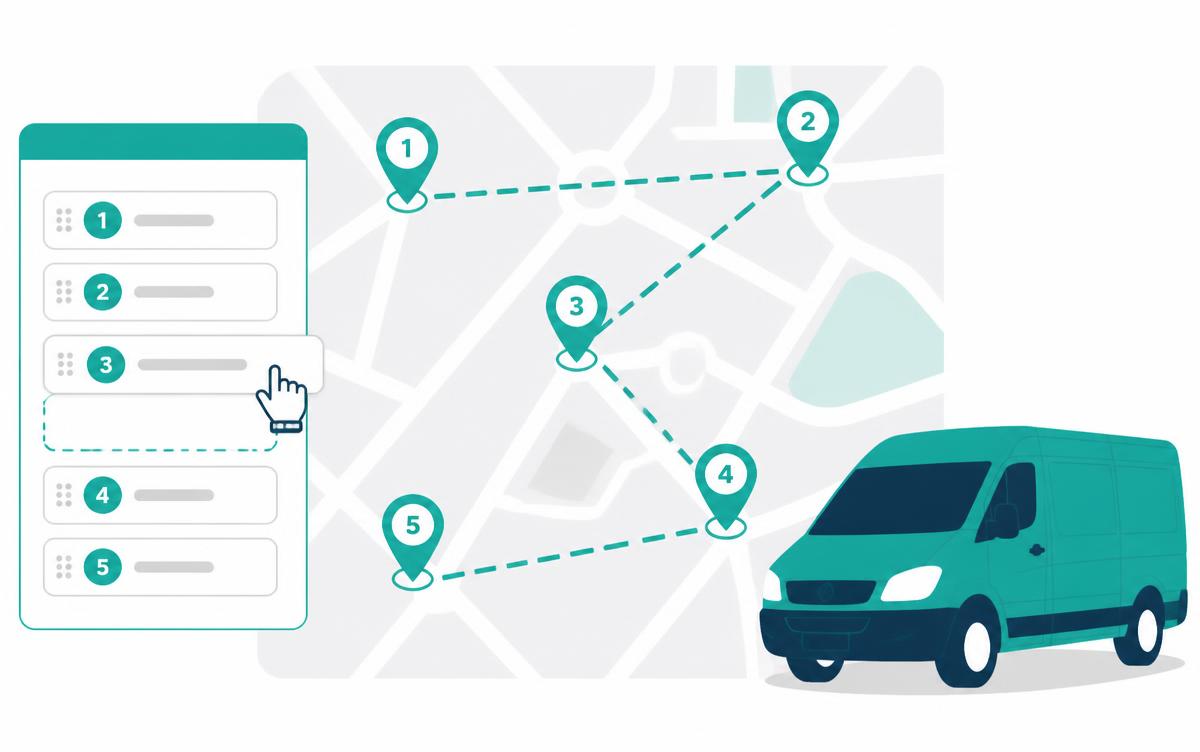
Mapping software, manifest spreadsheets and a driver chat group cannot agree on the truth. Depot2Door runs intake, planning and execution against the same record.
Orders arrive by spreadsheet import, API or manual entry and land in a date-grouped queue with fleet KPIs — no separate manifest tool, no re-keying.
Drag stops between vehicle lanes, optimise a sequence, balance the fleet, and watch distance, ETAs, load and legal-shift warnings recalculate on every move.
The published plan becomes the live board: stop status, delays, proof of delivery and a structured consignment log you can export per route.
A plan built in Tab 2 is the same object the driver opens, the same object the eCMR log exports and the same object the audit trail versions. No exports, no copy-paste, no "which version are you looking at?".
VOLVO FH — 12-BXR-4
Alaa H.
MAN TGX — 41-JHK-9
Piotr N.
Break inserted 12:00 – 12:45
Unassigned
Tab 2 — planner with drag-and-drop vehicle lanes, live map rendering and real-time drive, shift and load metrics.
Everything a European planner needs between the order landing and the wheels turning.
Test, reorder and simulate route variations in a local draft state. Save named scenarios side by side and reset to the live plan in one click — drivers in the field see nothing until you say so.
Distribute unassigned stops across vehicle lanes automatically while respecting box and rail capacity limits, shift length and each driver's remaining hours.
Driving-hour ceilings, mandatory breaks and a configurable midday pause (12:00–14:00) are scheduled into the plan, not bolted on afterwards.
Publish verified routes instantly — per-route selection, an optional note to the driver, exactly one synchronized update alert, and an acknowledgement handshake back from the device.
Dispatch is iterative: you try a sequence, move a customer, balance the load and try again. Depot2Door keeps all of that in a private draft, then bundles the final result into a single, clean deployment — so drivers get one clear update instead of a stream of half-finished changes.
VOLVO FH — 12-BXR-4
Alaa H.
MAN TGX — 41-JHK-9
Piotr N.
Break inserted 12:00 – 12:45
Unassigned
No. Dispatchers work in a private draft workspace — every drag, re-sequence and optimisation run stays local. Drivers only receive an update when you press Publish to fleet, and even then you choose which routes go out and whether an alert is sent.
Yes. The engine schedules around driving-hour limits, mandatory breaks and your tenant's custom pause window (for example 12:00–14:00), and flags any lane whose shift length would break the rules before you publish.
It sequences stops with a distance-and-time-window optimiser (2-opt improvement passes), then re-times the whole lane so every ETA reflects travel time, service time and inserted breaks.
Save as many named variations as you need, switch between them instantly and reset to the live plan at any time. Nothing leaves the sandbox until you publish.
The driver app raises a single route-update alert with the new sequence and ETAs, and returns an acknowledgement handshake so dispatch can prove the change was received.
Want the dispatcher's full control room? Explore TMS & fleet management .
Cloud-based transport management system with dispatcher mission control.
Offline-first courier mobile software with multi-image proof of delivery.
Automated EU 561/2006 driving-time tracking, split-break logic and a dual-driver HUD.
EU cross-border transport software with geofencing and driving-hours checks.
Sandbox planning, 2-opt optimisation and one-click publishing to the fleet.
Per-vehicle pricing with modular add-ons — no per-seat surprises.